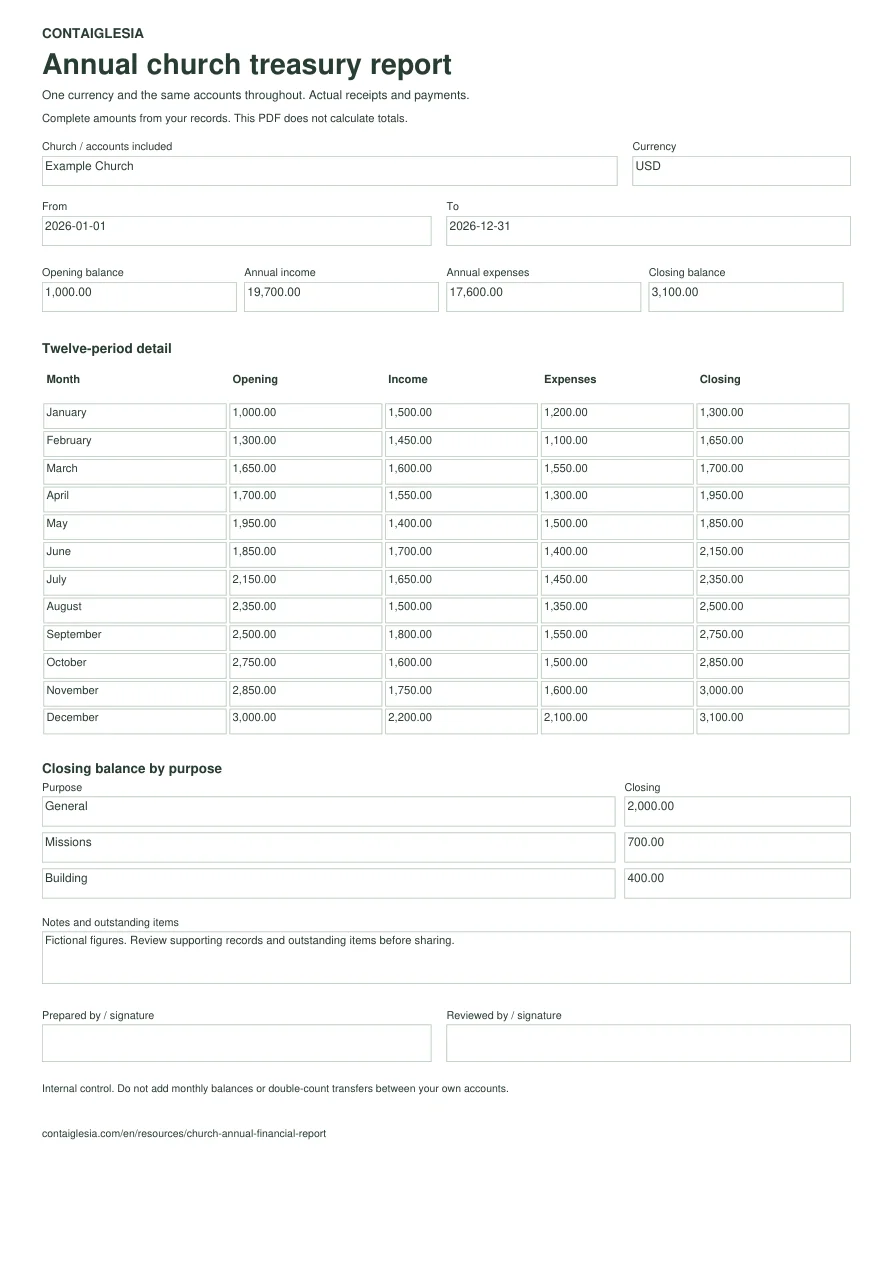
Agree on the year and accounts covered.
State the opening and closing dates, currency and accounts included. If your church’s year does not run from January to December, edit the twelve period labels in the PDF. Keep different years, accounting units and currencies separate.
Twelve months, one closing balance.
Scroll across to review every column.
Fictional example · January–December 2026 · USD
| Month | Opening | Income | Expenses | Closing |
|---|---|---|---|---|
| January | 1,000.00 | 1,500.00 | 1,200.00 | 1,300.00 |
| February | 1,300.00 | 1,450.00 | 1,100.00 | 1,650.00 |
| March | 1,650.00 | 1,600.00 | 1,550.00 | 1,700.00 |
| April | 1,700.00 | 1,550.00 | 1,300.00 | 1,950.00 |
| May | 1,950.00 | 1,400.00 | 1,500.00 | 1,850.00 |
| June | 1,850.00 | 1,700.00 | 1,400.00 | 2,150.00 |
| July | 2,150.00 | 1,650.00 | 1,450.00 | 2,350.00 |
| August | 2,350.00 | 1,500.00 | 1,350.00 | 2,500.00 |
| September | 2,500.00 | 1,800.00 | 1,550.00 | 2,750.00 |
| October | 2,750.00 | 1,600.00 | 1,500.00 | 2,850.00 |
| November | 2,850.00 | 1,750.00 | 1,600.00 | 3,000.00 |
| December | 3,000.00 | 2,200.00 | 2,100.00 | 3,100.00 |
| Full year | 1,000.00 | 19,700.00 | 17,600.00 | 3,100.00 |
The year starts with USD 1,000.00, receives USD 19,700.00 and spends USD 17,600.00. The result is USD 2,100.00 and the closing balance is USD 3,100.00. Add the income and expenses; do not add the twelve monthly closing balances.
Explain what the closing money is for.
Designated funds explain the same money; they are not additional balances. In this example, the three funds together match the closing total of the cash and bank accounts included.
Scroll across to review every column.
Funds from the same example, in USD
| Purpose | Opening | Income | Expenses | Closing |
|---|---|---|---|---|
| General | 700.00 | 15,000.00 | 13,700.00 | 2,000.00 |
| Missions | 200.00 | 3,000.00 | 2,500.00 | 700.00 |
| Building | 100.00 | 1,700.00 | 1,400.00 | 400.00 |
| Total | 1,000.00 | 19,700.00 | 17,600.00 | 3,100.00 |
The general fund has USD 2,000.00. The USD 1,100.00 assigned to missions and building work keep their designated purposes. The total balance does not mean all of it is available for general spending.
Add an explanation that connects to the figures.
“In May, spending exceeded receipts by 100. The balance went from 1,950 to 1,850; the difference was covered by money held at the start of the month.” This alone does not show that a debt existed.
Also explain completed activities, missing supporting documents and commitments carried into the next year. Separate recorded facts from next year’s forecasts.
Before sharing the report.
- Match the opening balance to the previous period’s close and check that every month is included.
- Check cash and bank accounts at the reporting date. Exclude transfers between your own accounts from consolidated income and expenses.
- Check that designated funds explain the closing balance. Keep the documents and outstanding items that support the summary.
- Identify who prepared and reviewed the report. Share aggregate figures with the congregation and keep individual giving information available only to authorized people.
One sheet for presenting the year.
Enlarge the form ↗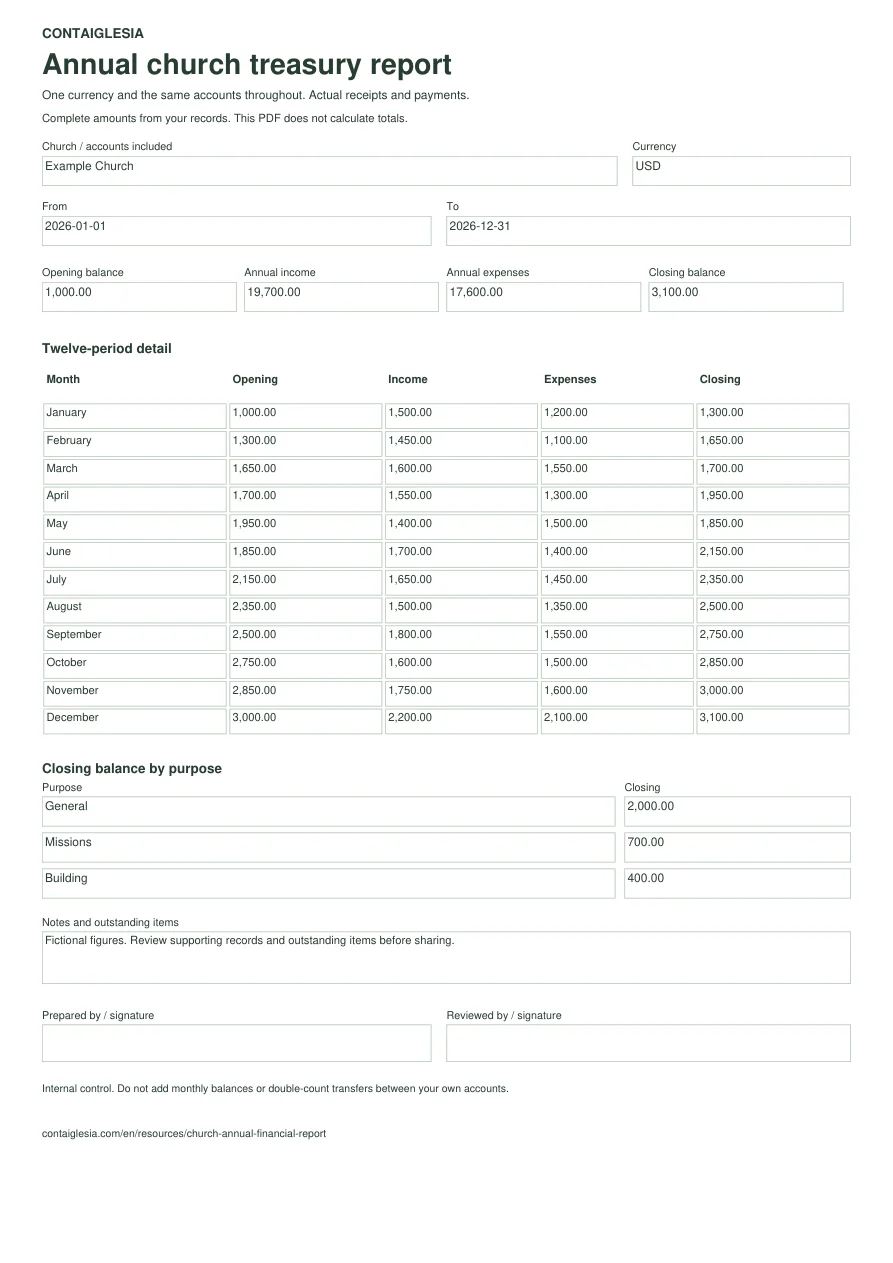
Annual report questions
Should I add all monthly closing balances?
No. Each month’s closing balance carries into the next. For the year, add income and expenses for the period and use the balance at the closing date. Adding monthly balances repeatedly counts money that remained in the accounts.
Does the PDF calculate the totals?
No. It is a fillable or printable form. Calculate and verify the totals against your records first. Keep one currency and the same reporting scope throughout.
Can the year run from September to August?
Yes. Change the twelve period labels and enter the opening and closing dates. The page uses January to December only to explain the calculation.
Is this an audited report or tax filing?
No. It is an internal summary of receipts and payments. It does not establish an audit or cover every accounting or tax obligation that may apply to a church.
What if there are more than three funds?
The PDF has three lines for the fund summary. If you need more, attach the complete fund breakdown and refer to it in Notes. That breakdown must reconcile to the same closing balance.