
Inside the file
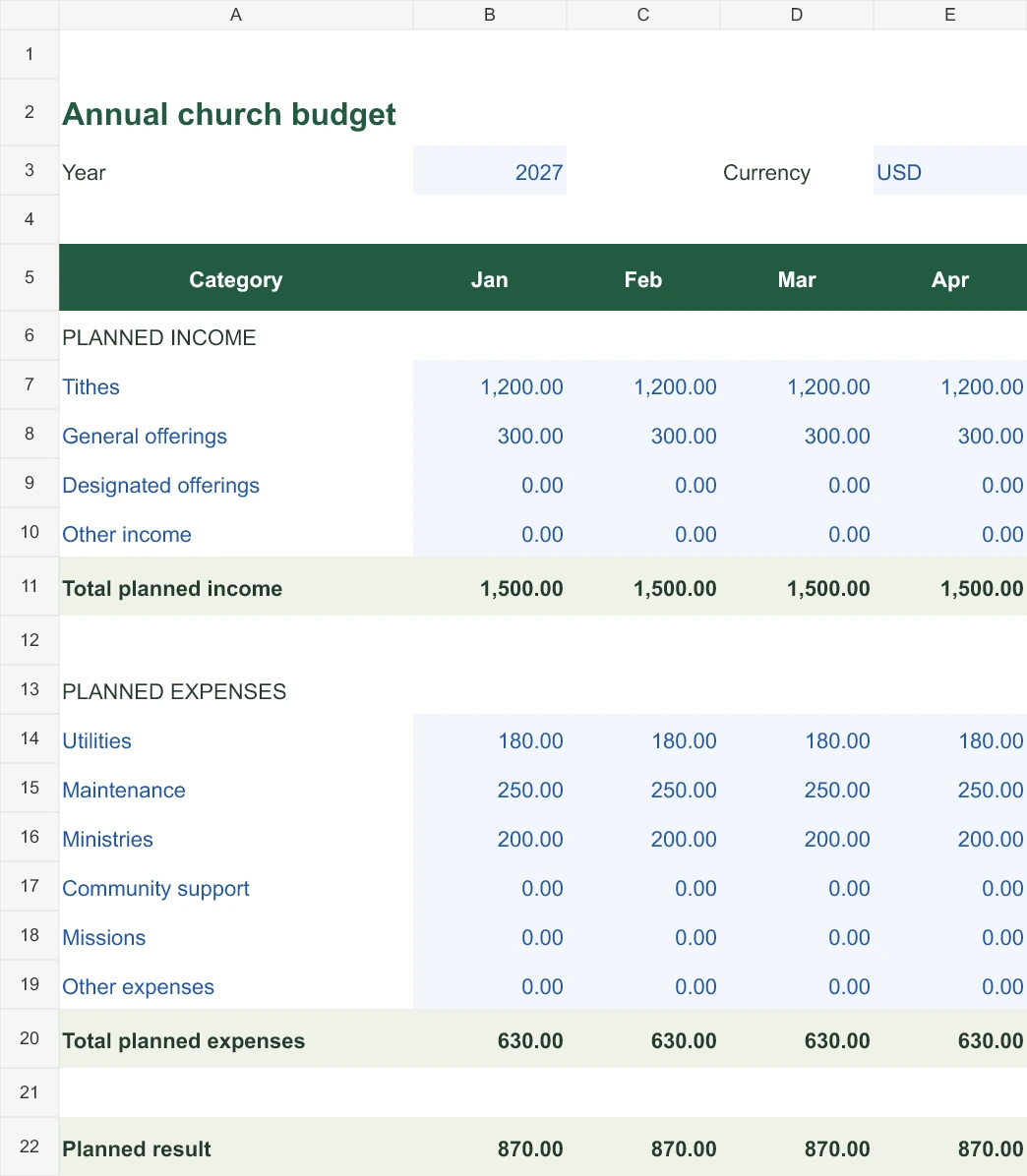
Enlarge image The first months of the budget.
Adapt the budget to your church.
- Choose the year and currency in the Budget sheet. The sample uses 2027 and USD.
- Rename the income and expense categories to match your plan. Blue cells are editable.
- Replace every monthly sample amount. Enter zero where nothing is planned; blank amount cells also sum as zero.
- Review each monthly result and the annual totals before approving the plan. Preserve the formula cells.
What the sample figures show
| Budget category | Planned amount |
|---|---|
| Tithes | 1,200.00 |
| General offerings | 300.00 |
| Utilities | 180.00 |
| Maintenance | 250.00 |
| Ministries | 200.00 |
Planned income is 1,500 and planned spending is 630: a planned result of 870. Those are estimates, rather than money already received.
Review assumptions before approving the plan.
- Check months with special activities, repairs or a change in expected giving. The sample repeats the same amounts only to make the formulas easy to inspect.
- Keep the approved version and record the reason for later changes.
- Use one currency per file. Editing its code does not convert amounts.
- The planned result is not a bank or cash balance. Compare the plan with separately recorded actual activity.
Questions about the file
Does it calculate the totals?
Yes. Excel formulas calculate monthly income, expenses, planned results and annual totals. Update the blue input cells; review formulas if you insert additional rows.
Can I use a year or currency other than the sample?
Yes. Edit the year and currency code and replace the amounts. The file does not convert currencies or fetch exchange rates.
Does it compare the budget with ContaIglesia automatically?
No automatic connection is included. Use the workbook to plan and the actual records and reports from ContaIglesia when reviewing what happened.