Main church
- Opening balance
- USD 5,000.00
- Income
- USD 3,000.00
- Expenses
- USD 1,800.00
- Closing balance
- USD 6,200.00
Accounting for churches with schools
Sharing an administration does not mean mixing every transaction. Keep church and school activity in separate books and prepare the financial report each operation needs.
14 days · No card · No charge at signup
On your phone, too. The same account.


See an example
The same period, with separate balances and transactions.
Illustrative separate accounting records. Enrollment, grades and academic case files are outside this example.
Built for your church
Churches operating a Christian school or education ministry under the same administration.
In practice
Use an account and a few transactions in each set of books. Check whether the reports explain the church’s and school’s activity clearly.
Use one set of books for the church and another for its school when both belong to the same administration. Check the selected area before recording a receipt, service or purchase.
Prepare each report for the same period and review them separately. Identify the origin and destination of transfers between areas before bringing figures into another presentation.
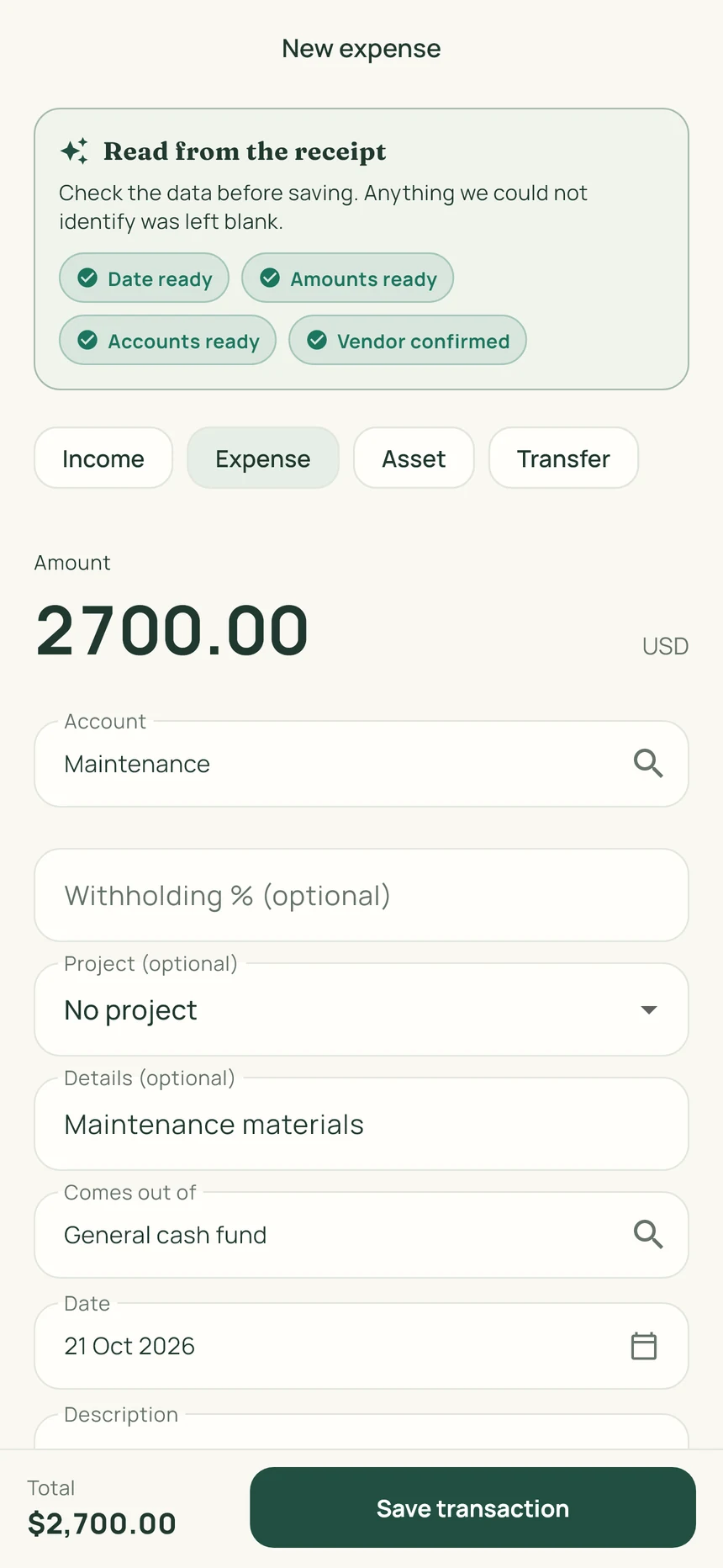
ContaIglesia suggests the receipt date, items and amounts. Review what it read, correct anything needed and save the photo with the transaction.
Materials, a utility bill or a church purchase.
Check the date and amount. Correct or complete anything needed.
Save up to three photos with the transaction: the receipt, invoice or an image of the purchase.
 View the full image
Start your trial on the web. Then sign in on iPhone or Android with the same account.
Record a transaction, attach its receipt and prepare a report. Decide after using the product.
No card. No charge at signup.
Base prices in USD. Stripe may offer payment in your local currency; you will see the currency and final amount before confirming. App store prices may vary.
See the full planThe plan includes up to five sets of books within the same church administration. Confirm that this matches your structure; it is not a package for five independent organizations.
The workflow is financial. It organizes income, expenses, receipts and reports; it does not present enrollment, grades or academic record-management features.
It shows a separate report for each set of books. If you combine their figures elsewhere, review transfers between areas to avoid counting the same money twice.
No. The trial lasts 14 days and requires no card. At the end, you decide whether to subscribe.
You can separate the accounts for a building project, ministry or campus and organize its transactions and receipts.
Yes. The same account works on the web, iPhone and Android. Start your trial here, then sign in to the app.
No. It organizes records and reports for your board and accounting professional to review.