Children’s program
- Opening balance
- USD 0.00
- Income
- USD 5,000.00
- Expenses
- USD 3,500.00
- Closing balance
- USD 1,500.00
Accounting for church outreach projects
A gift for a children’s program has a specific purpose. Keep that program’s received funds, purchases and supporting documents separate from the church’s regular operations.
14 days · No card · No charge at signup
On your phone, too. The same account.


See an example
Shared administration. Records to review separately.
Each set of books has its own report. No certification or sponsorship organization reporting format is claimed.
Built for your church
Churches managing children’s programs, sponsorship projects or community outreach with separate financial reporting.
In practice
Create its set of books, record a received gift and a related purchase, then review the report. Use fictional records while evaluating the structure if you prefer.
A program may share church administration while needing its own opening balance, transactions and report. Use a separate set of books when its responsible team or supporters need that visibility.
Select the period and review that set of books. Share the relevant figures and documents while avoiding unnecessary personal information about children in financial descriptions.
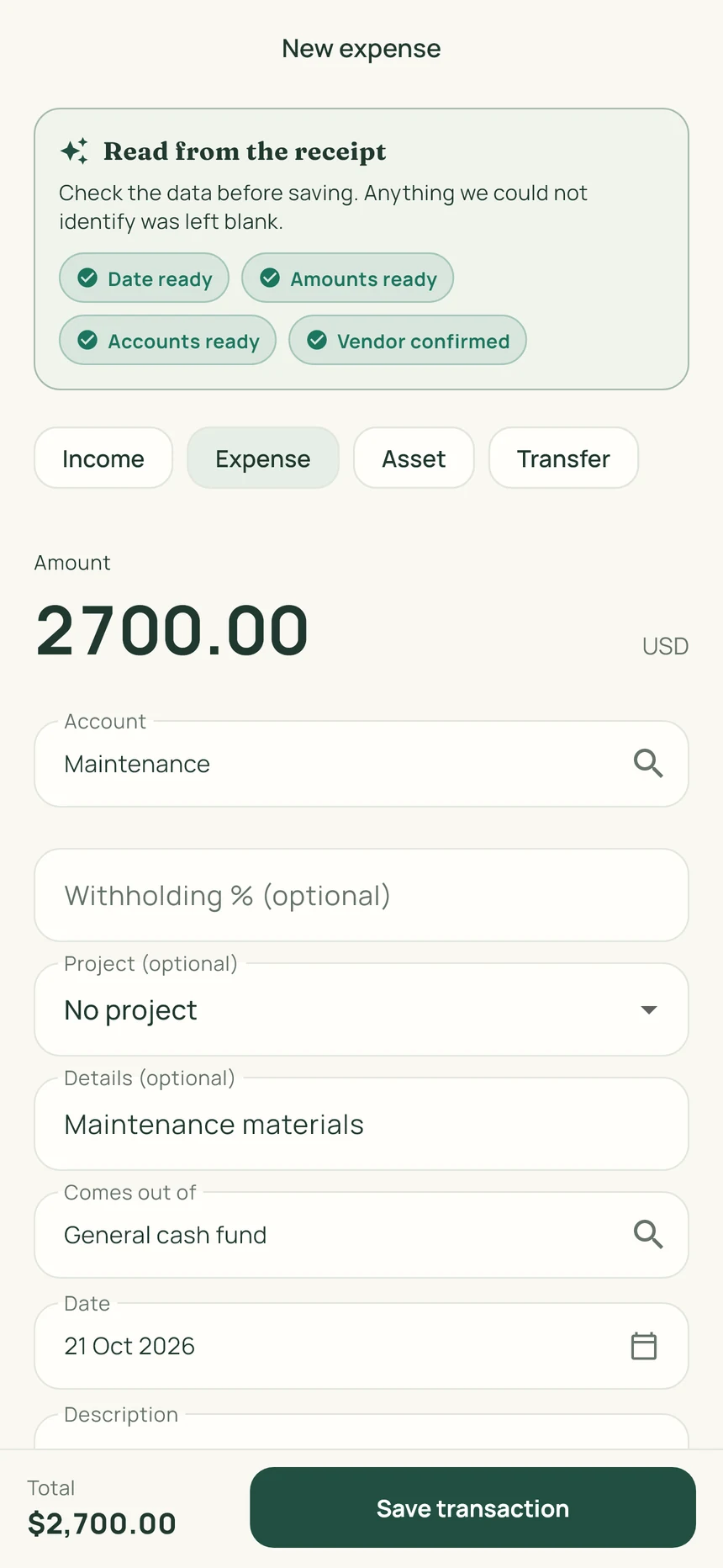
ContaIglesia suggests the receipt date, items and amounts. Review what it read, correct anything needed and save the photo with the transaction.
Materials, a utility bill or a church purchase.
Check the date and amount. Correct or complete anything needed.
Save up to three photos with the transaction: the receipt, invoice or an image of the purchase.
 View the full image
Start your trial on the web. Then sign in on iPhone or Android with the same account.
Record a transaction, attach its receipt and prepare a report. Decide after using the product.
No card. No charge at signup.
Base prices in USD. Stripe may offer payment in your local currency; you will see the currency and final amount before confirming. App store prices may vary.
See the full planThe plan includes up to five sets of books within the same church administration. One can cover church operations and another its project, each with its own transactions and report.
No integration or certification is claimed. This workflow separates financial records for a church-administered program. Check any required reporting format with the organization you work with.
This page covers program accounting: income, expenses, supporting documents and reports. It does not present a child-records or sponsorship case-management system.
No. The trial lasts 14 days and requires no card. At the end, you decide whether to subscribe.
You can separate the accounts for a building project, ministry or campus and organize its transactions and receipts.
Yes. The same account works on the web, iPhone and Android. Start your trial here, then sign in to the app.
No. It organizes records and reports for your board and accounting professional to review.